
Archivarix Broken Links Recovery: Free WordPress Plugin for Finding and Fixing Broken Links
Over time, external links in WordPress posts inevitably break - pages get deleted, domains expire, videos become unavailable. Checking hundreds or thousands of links manually is impractical. Archivarix Broken Links Recovery automates this process: the plugin scans your content, finds broken links, and replaces them with working copies from the Wayback Machine.
When searching for archived copies, the plugin uses the post's publication date as a timestamp, so replaced links point to the most relevant version of the original page.
Smart Link Verification
A simple HTTP status check is often not enough. A link may return a 200 status while showing a parking page, a "soft 404," or an entirely different website. The plugin uses multi-level verification to detect such cases:
HTTP errors - 4xx, 5xx, timeouts, DNS failures
Redirect analysis - detects redirects to a different domain or to the site's homepage, which usually means the original page no longer exists
Parked domain detection - recognizes over 30 parking service signatures (Sedo, GoDaddy, Namecheap, and others)
Soft 404 detection - pages that return a 200 status but actually display an error page
Content-Type mismatch -when a link that should lead to an HTML page returns something else
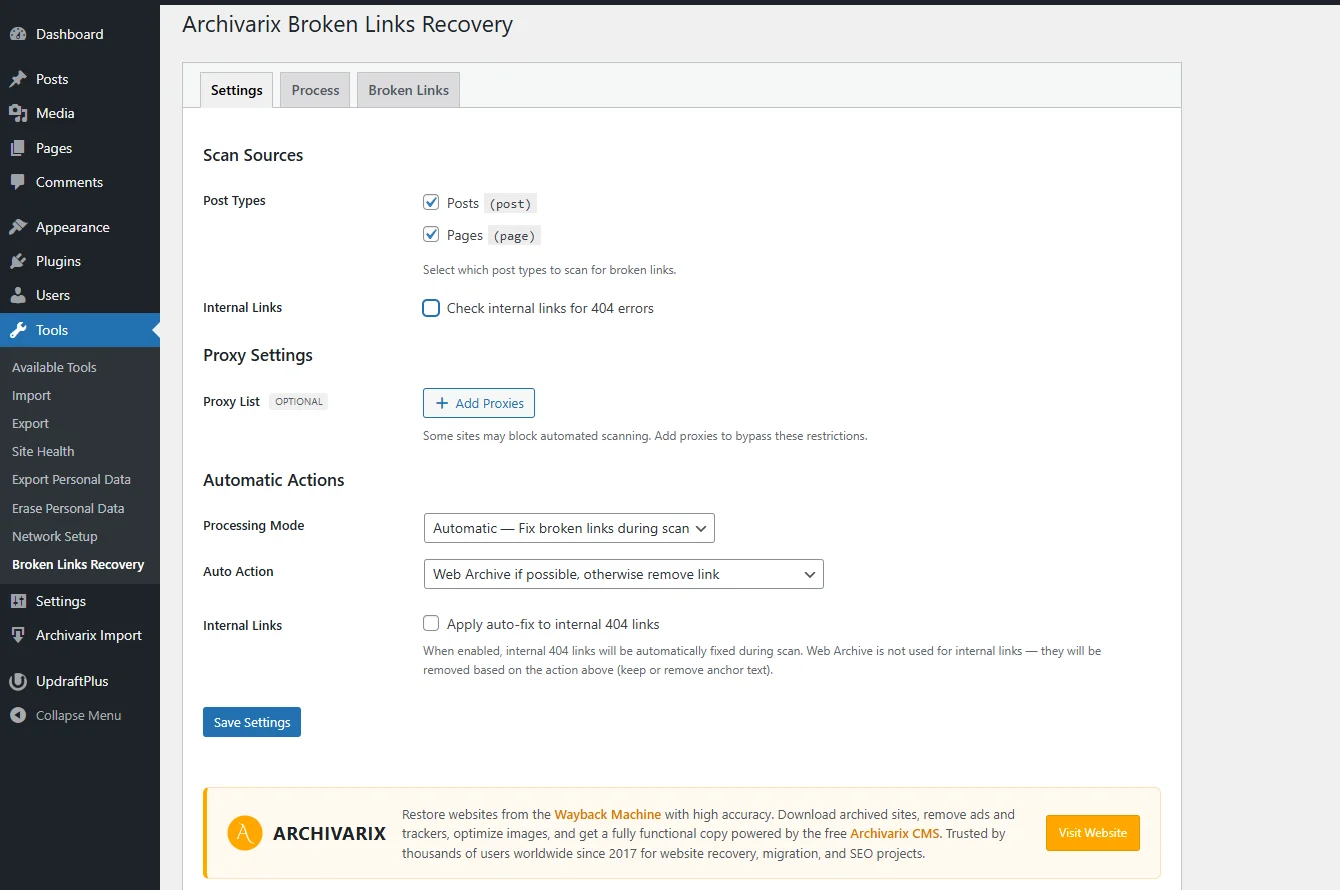
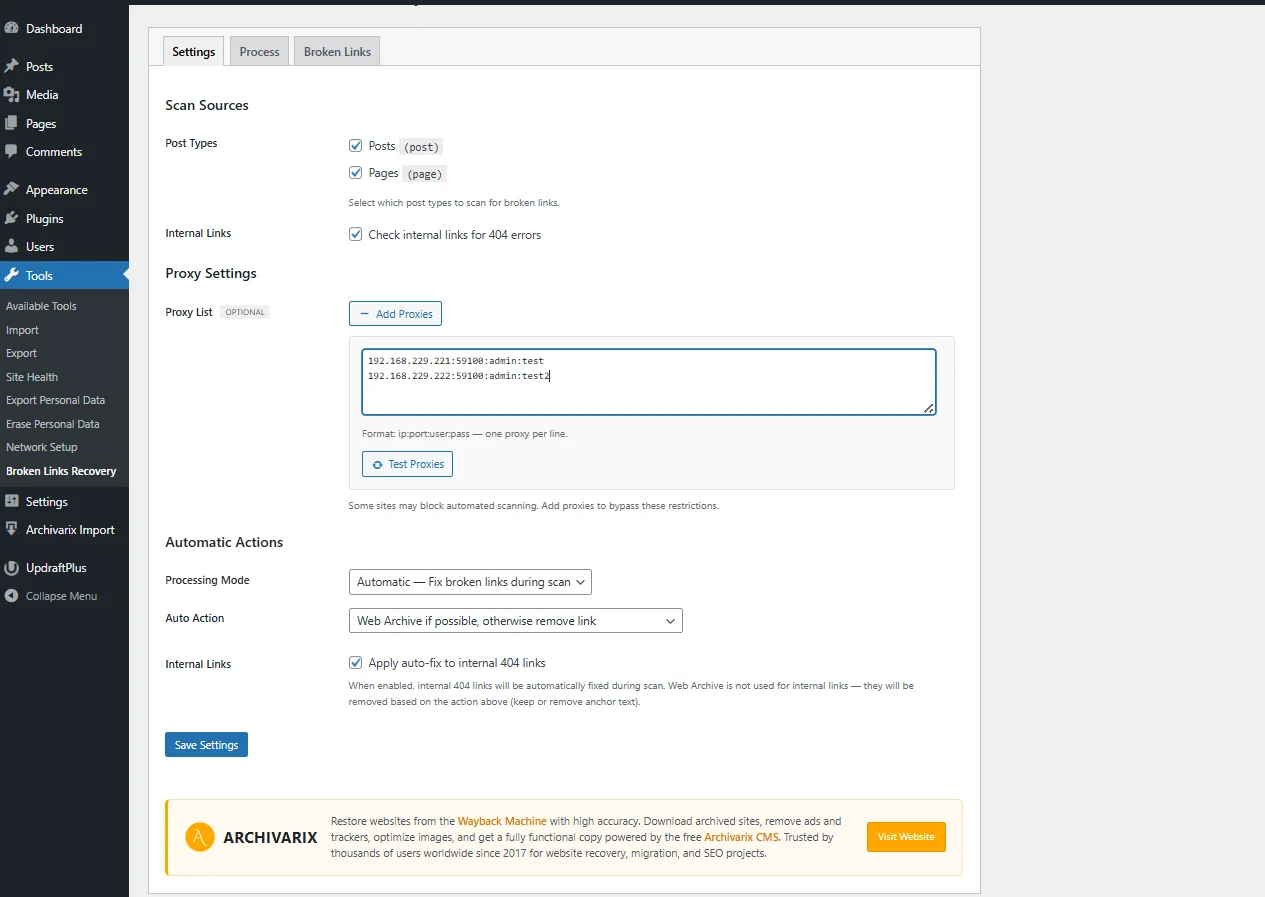
Proxy support - configure an HTTP proxy for external link checking to avoid blocks from frequently checked domains and social media platforms.
Video and Social Media
Standard HTTP checks don't work well with social platforms - they often block bots or return incorrect responses. The plugin uses the platforms' own APIs:
YouTube, Vimeo, TikTok - video availability is verified via the oEmbed API
Twitter/X, LinkedIn, Instagram, Facebook, Pinterest - dedicated checks for each platform
The plugin also extracts and verifies embedded videos from iframes, Gutenberg blocks, [embed] shortcodes, and plain oEmbed URLs in content.
Two Operating Modes
In the Settings tab, you can choose how the plugin handles broken links:
Automatic mode is suited for large sites where reviewing every link manually is impractical. The plugin automatically replaces broken links with Wayback Machine copies. If no archived copy is available, the hyperlink is removed and the anchor text remains visible.
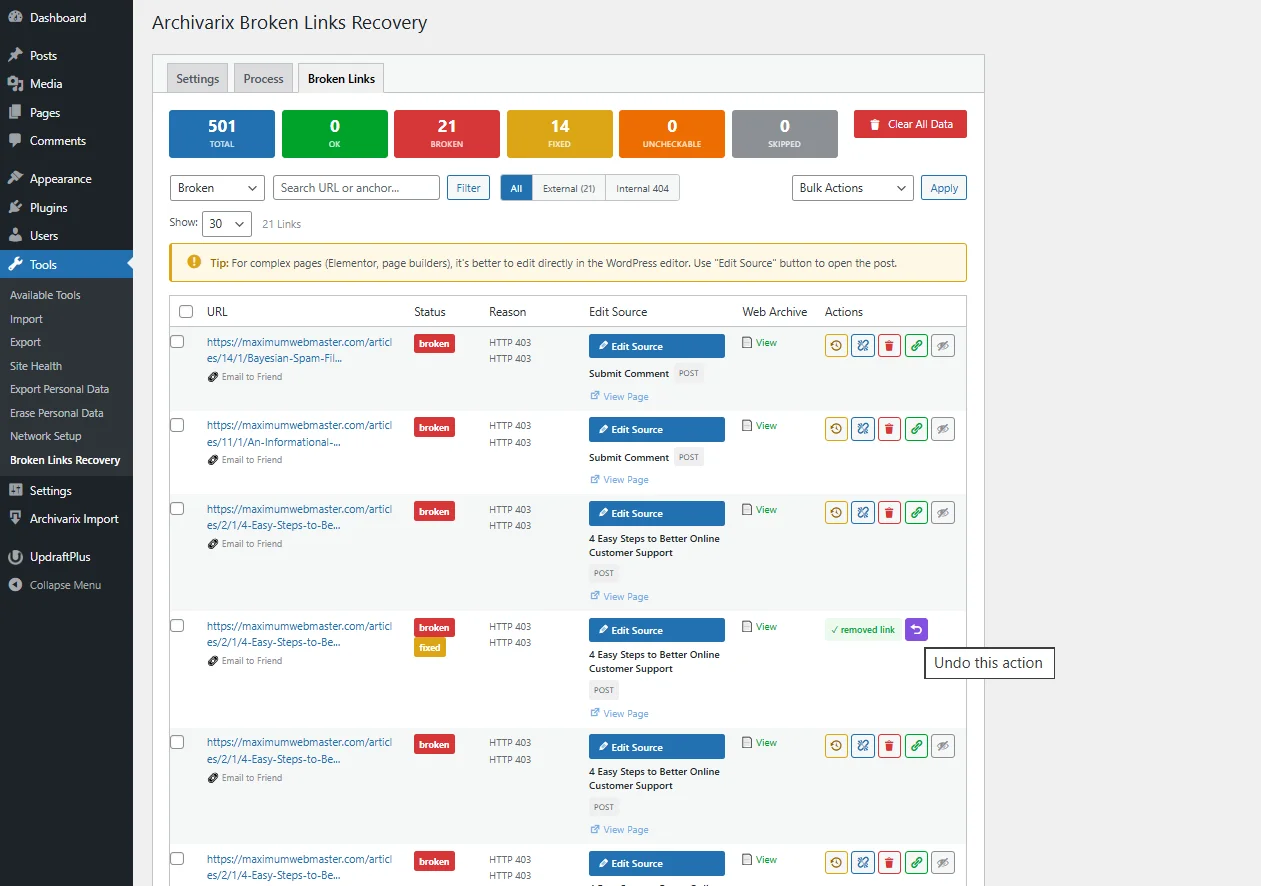
Manual mode gives you full control. In the Broken Links tab, you can review each broken link and choose an action:
- Replace with a Wayback Machine copy
- Replace with a custom URL
- Remove the link (keep the anchor text)
- Remove the link along with the text
- Add to the whitelist (skip in future scans)
Internal Link Checking
The plugin also checks links within your own site. It uses a hybrid approach: first a fast WordPress database lookup to confirm the target post/page exists, then an HTTP check as a fallback for URLs that couldn't be resolved through the database. This catches broken links from deleted pages, malfunctioning plugins, or content restructuring.
Background Processing
All scanning and checking runs in the background using the WP Background Processing library. You can close your browser tab and come back later - the process continues on the server. The Process tab shows current progress, and you can pause or stop the scan at any time.
Large sites with thousands of links are handled without timeouts or memory issues.
What the Plugin Scans
In the Settings tab, you can choose which content sources to include:
- Posts and pages
- Custom post types, if your WordPress site has any
Installation
1. In WordPress admin, go to **Plugins → Add New** and search for "Archivarix Broken Links Recovery"
2. Install and activate the plugin
3. Navigate to **Tools → Broken Links Recovery**
4. On the **Settings** tab, select content sources and operating mode
5. Go to the **Process** tab and click **Start Scan**
The plugin is free and open source. — https://wordpress.org/plugins/archivarix-broken-links-recovery/
The use of article materials is allowed only if the link to the source is posted: https://archivarix.com/en/blog/broken-links-recovery/

Over time, external links in WordPress posts inevitably break, pages get deleted, domains expire, videos become unavailable. Checking hundreds or thousands of links manually is impractical. Archivarix…
One trillion saved pages. Over 99 petabytes of data. Hundreds of crawls running simultaneously every day. Behind these numbers lies a question that everyone who professionally works with web archives …
Buying an expired domain with history is one of the most effective ways to launch a new project with an already existing backlink profile, trust, and even traffic. Instead of promoting a bare domain f…
When it comes to restoring websites from archives, almost everyone thinks only of the Wayback Machine. That's understandable: archive.org is well known, it has a convenient interface, a trillion saved…
We've released a browser extension called Archivarix Cache Viewer. It's available for Chrome, Edge and Firefox. The extension is free and contains no ads whatsoever.
The idea is simple: quick access …
When you restore a website from the Web Archive, you expect to get original content that was once written by real people. But if the site's archives were made after 2023, there's a real chance of enco…
In October 2025, the Wayback Machine reached the milestone of one trillion archived web pages. Over 100,000 terabytes of data. This is a massive achievement for a nonprofit organization that has been …
We are pleased to introduce version 2.0 of our WordPress plugin for importing external images. This is not just an update, the plugin has been completely rewritten from scratch based on modern requir…
Dear friends!
Black Friday and Cyber Monday are the best time to save on future website restores.
If you plan to restore websites, top up your balance in advance, or simply want to get more – now is…
Dear friends!
Today we celebrate Archivarix's 8th anniversary, and it's the perfect occasion to say a huge thank you!
We are truly grateful that you chose our service for website recovery from web a…