Archivarix Echo: check 200+ web archives with one search
The web keeps falling apart. Pages go offline, accounts get deleted, papers slip behind paywalls, projects shut down. Usually a copy survives somewhere, in the Wayback Machine, archive.today, Common Crawl, scholarly indexes like Crossref, libraries like Open Library, and hundreds of smaller subject-specific archives. The catch is that they are all separate. To find out where something was saved, you used to open them one at a time: Wayback first, then archive.today, then a dozen academic and book databases.
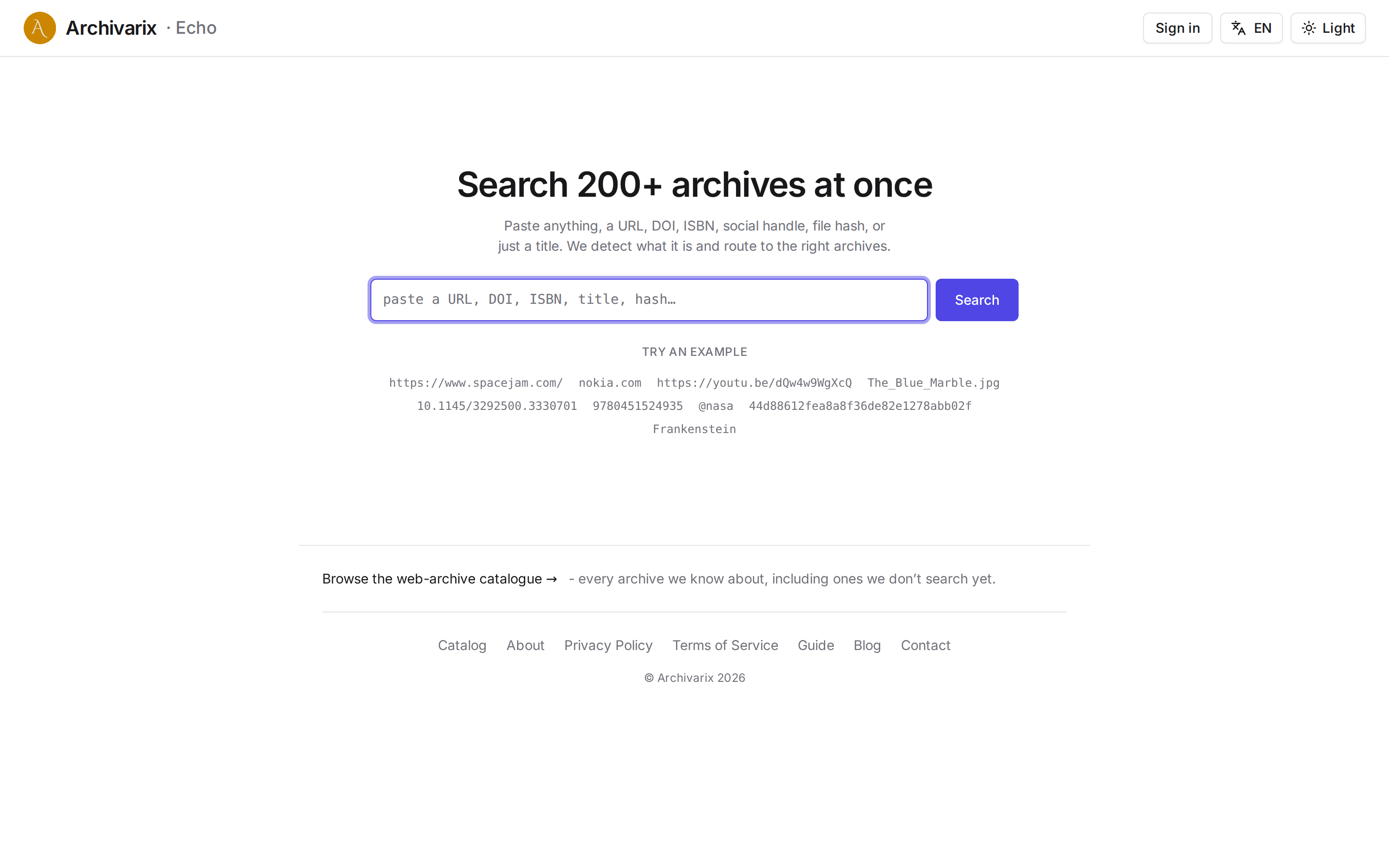
Echo takes that manual round-trip off your hands. You paste one thing into a single box, a URL, a domain, a DOI, an ISBN, a handle, a file hash, or just a title, and Echo recognises what it is and hands you ready-made links into the archives that deal with that kind of thing.
One thing worth being clear about: Echo does not download or analyse anything for you. It does not open the pages or check whether a copy is really there. Its job is narrower and more useful than that, to work out what you pasted and show you which archives to go to for it. You follow the links yourself.
You never choose a category. Echo reads the shape of the input and picks the sources itself.
A page URL leads to that page's snapshots in the big web archives: the Wayback Machine (over a trillion pages), archive.today, Common Crawl, Perma.cc, Ghostarchive, and national archives. A bare domain opens the whole saved site rather than a single address, and adds a link to crt.sh, where a site's SSL-certificate history reveals its subdomains and its past. A DOI points to a paper in Crossref, OpenAlex and Semantic Scholar, and to open full text in Anna's Archive. An ISBN points to a book in Open Library, HathiTrust and Google Books. An @handle goes to the social sources, a file hash to Software Heritage and VirusTotal, an image link to reverse-image search.
No identifier? Type a title, a name, or a few words, and Echo fans the query out to every archive with a text search and sorts them by topic: books, papers, patents, images, museums, maps. "Frankenstein" goes to Open Library, Gutenberg and Wikisource; "attention is all you need" goes to arXiv, PubMed and DBLP.
How a search works
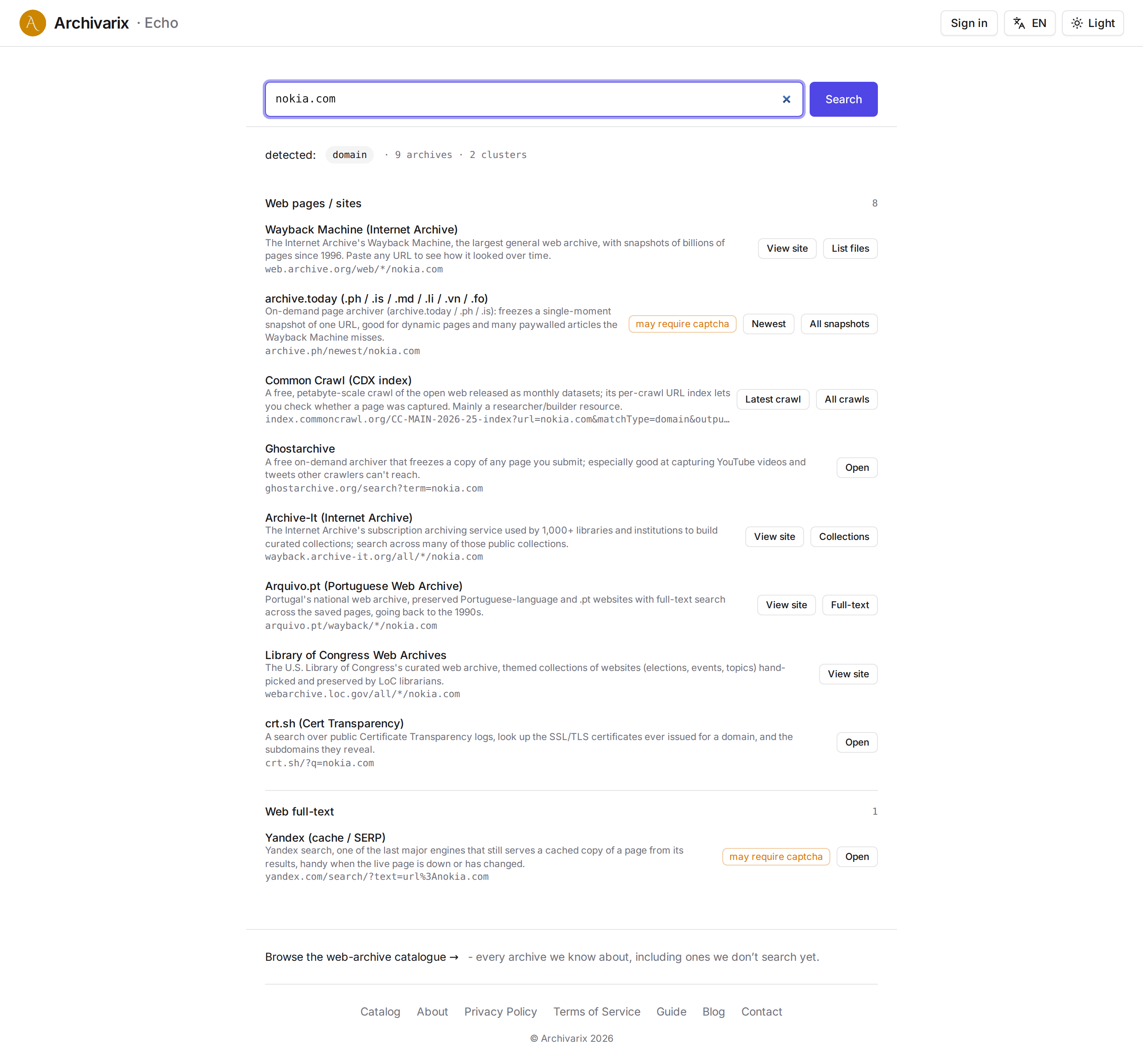
There is nothing clever about the flow. You paste, you press Search. Echo classifies the input and gathers every archive in its catalog that can take that kind of query. Then it groups them and gives each one a direct link, to the snapshot, the paper, the book, the profile. Above the results it shows what it took your input to be, so a wrong guess is easy to spot.
A result is not "here is your copy," it is "here is where to look for it." Echo walks you to the right door and you open it. Some archives are wide open, others hide their search behind a captcha or block robots outright; those still show up, with a direct link and a note on how to search them by hand. Where we can't take you straight to the result, we say so and point you to where it lives.
What not to expect
Echo holds no content of its own. The archives only keep what they managed to save before something vanished. If no public archive ever captured a page, a paper, or a video, there is nothing to pull back. Coverage is best for things that were public, popular, or cited.
The catalog
Alongside the search, Echo keeps a catalog of every archive we know about, including the ones we can't query automatically yet. You can browse it and filter by category, cluster, API, or access type, just to see what exists and what each archive holds.
Free, in six languages
Echo runs without JavaScript, so any search is a plain link you can save or send on. The interface comes in six languages: English, Russian, Spanish, German, Portuguese, French. The basics are free, and a free account raises your daily limit and keeps your search history.
Try it: echo.archivarix.net
The use of article materials is allowed only if the link to the source is posted: https://archivarix.com/en/blog/archivarix-echo/

Tube Search now has a section of free YouTube tools. These are small utilities that solve specific everyday tasks: stepping through a video frame by frame, extracting hidden tags, checking whether a c…
You found the video you needed on YouTube, but you do not want to watch the whole thing just for a couple of lines. Or you need the text of a lecture to translate it, quote it, or simply skim through …
Open any article from a decade ago and click through the links in it. There is a good chance that some of them lead nowhere. Instead of the page you wanted, you get a 404 error, a parked domain advert…
The web keeps falling apart. Pages go offline, accounts get deleted, papers slip behind paywalls, projects shut down. Usually a copy survives somewhere, in the Wayback Machine, archive.today, Common C…
When you find a deleted YouTube video through Tube Search, you typically get metadata: a title, description, upload date, and sometimes subtitles. That is already useful. But reading through raw subti…
Tube Search is a search engine for archived YouTube data. The service aggregates information from multiple public sources: the Wayback Machine (Internet Archive), Common Crawl, and various collected Y…
Over time, external links in WordPress posts inevitably break, pages get deleted, domains expire, videos become unavailable. Checking hundreds or thousands of links manually is impractical. Archivarix…
One trillion saved pages. Over 99 petabytes of data. Hundreds of crawls running simultaneously every day. Behind these numbers lies a question that everyone who professionally works with web archives …
Buying an expired domain with history is one of the most effective ways to launch a new project with an already existing backlink profile, trust, and even traffic. Instead of promoting a bare domain f…
When it comes to restoring websites from archives, almost everyone thinks only of the Wayback Machine. That's understandable: archive.org is well known, it has a convenient interface, a trillion saved…